The call came at 8:42 on a Tuesday evening, right as the kettle began to whistle.
On the screen flashed a familiar name, a face from college, a voice that sounded slightly tinny—the way voices always sound when someone is rushing through a train station or holding a phone at an awkward angle. Nothing in that first second set off an alarm. A friend needing a quick favor, a sudden plan change, the ordinary hum of adult life. Then came the urgent request: a link to tap, a code to read back, a transfer needed before a window closed.
I have stood on both sides of that moment. Years ago, watching a close relative stare blankly at a banking app after a convincing voice on the other end convinced them their account was being drained, I felt the cold, hollow drop that follows realization. Scamming no longer sounds like a broken-English email from a prince. It sounds like someone you trust. It arrives during dinner, in the middle of exhaustion, wrapped in urgency and affection.
For most of us, the operating system on our phone is invisible until it gets in the way. We notice when a menu lags. We notice when battery life dips before midnight. We notice when an icon moves somewhere unfamiliar after an update. What we rarely notice is the quiet architecture sitting beneath the glass—the rules deciding what gets through, what gets blocked, and how much friction stands between an ordinary tap and a permanent mistake.
When OPPO introduces ColorOS 17 with a redesigned interface, new artificial intelligence tools, and built-in fraud detection, the headlines naturally reduce it to a checklist. New look. Smarter assistants. Scam protection. Rollout dates.
Checklist thinking misses the point.
Phones have become extensions of our nervous systems. We carry our boarding passes, our family photos, our work drafts, our bank logins, and our late-night anxieties inside a rectangle of aluminum and glass. If the software running that device treats every hour like a spreadsheet, it misses how human beings actually live. People get distracted. People type with one thumb while holding groceries. People fall for voices that sound like people they love.
Why Pretty Menus Mean Nothing Without Trust
Designers love talking about visual hierarchy, spacing, and motion curves. Users just want their thumbs not to ache.
Over the past decade, smartphone interfaces drifted toward a strange kind of sameness—endless cards, cluttered control centers, and settings menus buried five layers deep like archaeological strata. When you are trying to turn off a noisy notification during a meeting or find a document at an airport gate, cleverness is the enemy. Clarity is kindness.
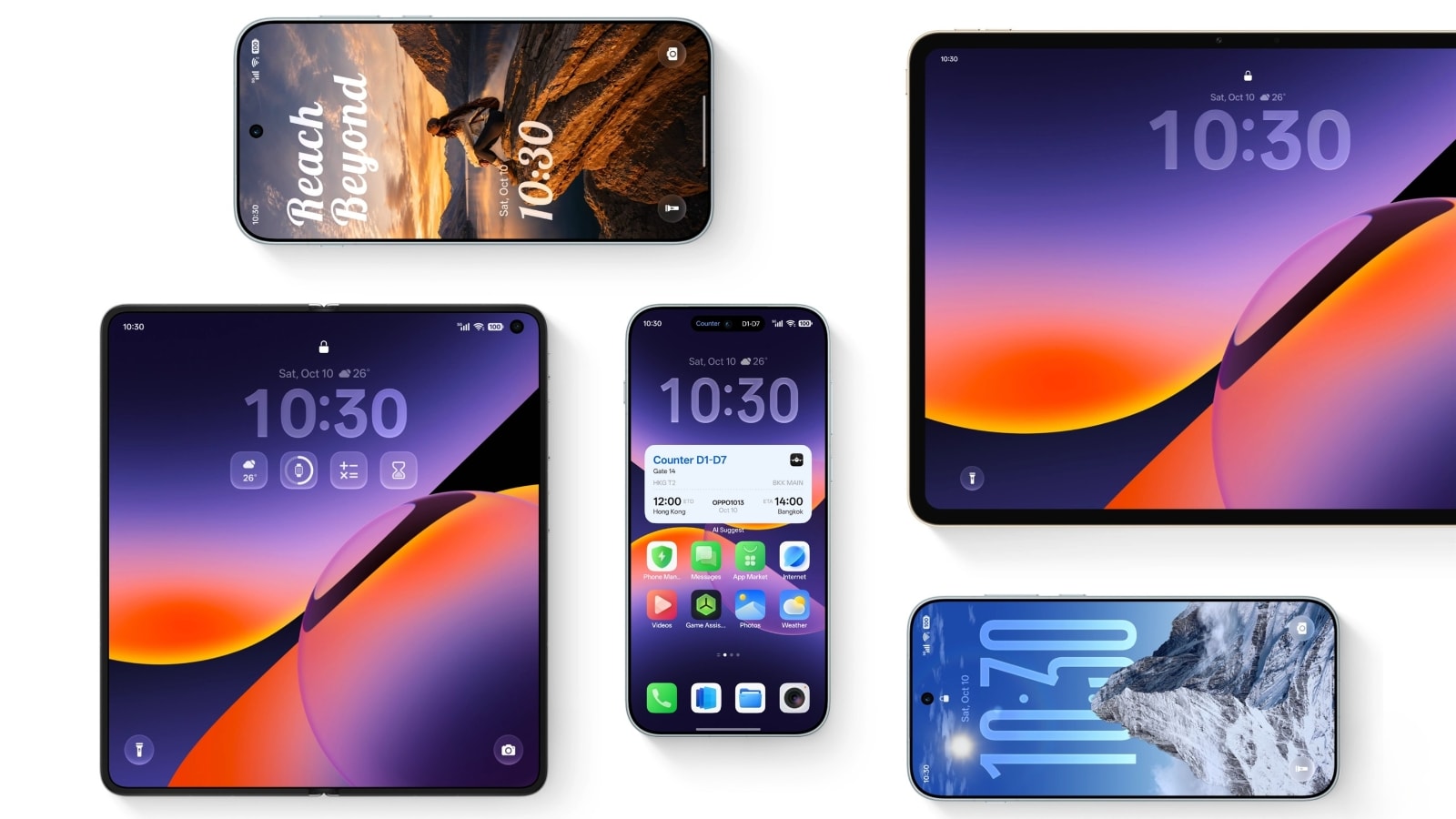
With ColorOS 17, the visual overhaul aims to strip back some of that friction, giving the interface a cleaner rhythm and more intentional breathing room. Think of it like moving from a cramped, overstuffed hallway into a room where the light hits the floor cleanly. You still have the same doors, and the same rooms behind them, yet you stop bumping your hip on the furniture every time you walk through.
Still, I have enough gray hair in tech journalism to stay skeptical of shiny coats of paint. A prettier settings screen does not stop a bad day from turning worse. If an update only rearranges the furniture while leaving the locks flimsy, we have gained aesthetics and lost nothing of real consequence.
What makes a phone feel trustworthy is rarely a single dramatic feature. It is consistency. When a button behaves the way you expect on a rainy morning with cold fingers, trust builds quietly. When a menu hides what you need behind vague jargon, trust erodes—one small annoyance at a time.
Let's use a hypothetical scenario to see how tiny design choices ripple outward. Imagine Clara, a graphic designer working from a café between client calls. Her phone buzzes with a message claiming a delivery failed and asking her to confirm an address through a shortened link. In a cluttered interface where alerts pile up like unread receipts, she might tap out of muscle memory just to clear the red badge. In a cleaner, calmer flow where risky actions are separated from routine chatter, that split-second pause can be the difference between brushing off noise and handing over credentials.
That pause is where real software earns its keep.
When Helpful Machines Start Anticipating Messy Lives
Artificial intelligence on phones has gone through an awkward adolescence. For a while, every new tool felt like a party trick—rewriting a text in the voice of a pirate or generating a sticker nobody asked for. Fun for ten minutes. Forgettable by lunch.
The harder job is quiet utility. Summarizing a long thread when you are walking out of a train. Pulling a key detail out of notes before a call starts. Helping you draft a response when your brain is fried at ten o'clock at night.
I admit, I find the rapid spread of on-device and cloud-assisted AI tools unsettling at times. Whenever software offers to finish my sentences or organize my day, a small voice asks what happens to judgment when convenience becomes automatic. If we let a machine do all the sorting, do we lose our own sense of what matters?
That uncertainty is real, and pretending otherwise would be dishonest. AI is neither savior nor villain; it is a lever. Pull it well, and it lifts heavy bags. Pull it carelessly, and it drops them on your foot.
The promise of smarter tools inside ColorOS 17 lies in whether they respect context rather than shouting for attention. A helpful assistant should feel less like a hyperactive intern tapping you on the shoulder and more like a good editor handing back a clean draft right when you need it.
Real technology shouldn't demand your awe every five minutes. It should give you back twenty minutes of calm every day.
Consider what happens next when intelligence is paired with awareness of risk. Instead of treating every message, call, or prompt as an isolated island, modern systems are increasingly trying to read patterns—unusual urgency, suspicious links, behavior that looks like social engineering rather than ordinary conversation.
The Anatomy of a Modern Scam
To understand why fraud detection inside an operating system matters so much right now, we have to look at how deception has evolved.
Historically, confidence tricks relied on distance and theatricality. A con artist needed a stage, a disguise, or a slow build of charm. Today, deception travels at packet speed and exploits psychological shortcuts that evolved over millennia.
Humans are wired to respond to authority, scarcity, and social proof. If a message says a bank account is locked, fear narrows our attention. If a caller sounds panicked and asks for help right now, empathy overrides skepticism. Scammers study human emotion with ruthless precision. They do not need to hack silicon if they can successfully hack a hurried mind.
To use a metaphor, think of a city wall. For years, security focused on guarding the gates against battering rams—malware, obvious phishing domains, brute-force attacks. Those defenses still matter. Yet many modern attacks do not climb the wall; they walk right through the front door wearing a uniform that looks almost right, speaking a language that sounds familiar.
Fraud detection built into the OS layer changes the posture of defense. Rather than leaving every warning up to a single app or a tired user squinting at a screen, the system itself can flag suspicious signals during calls, screen sharing, or risky interactions.
Will it catch every trick? No system on earth is omniscient, and anyone claiming absolute immunity is selling snake oil. Determined attackers adapt constantly. A prompt can look harmless until the third step. A legitimate urgent call from a relative in trouble can share surface traits with a scam. False alarms can annoy people; missed warnings can hurt them.
That tension is the very heart of modern digital safety. Too much friction makes a phone feel paranoid and unusable. Too little friction leaves people exposed when they are most vulnerable.
Rollout Dates, Waiting, and the Quiet Frustration of Updates
Whenever a major operating system arrives, the conversation almost immediately pivots to timing. When does my model get it? Which region is first? Why is my friend seeing a feature I do not have yet?
Rollout schedules are rarely arbitrary, even when they feel that way from the outside. Pushing a new OS build to millions of devices across different hardware tiers, carriers, and regions is like changing tires on a moving train. You stagger deployments so that if an unexpected bug surfaces on a specific configuration, you can pause, patch, and protect the wider base without grinding everything to a halt.
Still, waiting sucks. There is no sugarcoating that. You read about a cleaner interface or smarter fraud guardrails, look down at your current build, and feel left behind in last month's software.
If you are trying to figure out where your device stands with ColorOS 17, a few practical habits save a lot of guesswork:
- Check your exact device model and region before trusting third-party charts, since rollout waves typically prioritize flagship and recent models first before expanding to broader lineups.
- Back up important photos, chats, and local files before installing any major OS upgrade, even when updates are designed to leave personal data intact.
- Spend ten minutes exploring privacy and security settings right after updating rather than leaving defaults untouched—new protections only help if you know how they behave.
Notice how simple those steps are. None of them require a computer science degree. They require a little patience and a willingness to treat your phone like an important tool rather than a disposable toy.
What We Actually Ask of Our Devices
Step back from release notes and specs for a moment, and ask a simpler question: what do we actually want from the screen in our hand?
Most people do not wake up yearning for a "paradigm shift" in mobile software. They wake up wanting their alarm to go off on time, their messages to make sense, their photos to be safe, and their money to stay where they put it. They want fewer moments of dread. They want fewer hours lost to confusion.
ColorOS 17 arrives in a world where digital life is heavier than it used to be. Every subscription, every verification code, every delivery text, every voice note adds a tiny thread to a web that can tighten around you fast if you pull the wrong one. When an operating system tries to tidy the visual space, make everyday tools more responsive, and add layers of protection against fraud, it is answering a very human need: the need to breathe a little easier while staying connected.
Nothing about that promise is magic. Code is written by fallible people, tested under imperfect conditions, and rolled out across messy real-world networks. The real test of ColorOS 17 will not happen in a launch keynote or a spec sheet comparison. It will happen on ordinary days—in kitchens, on buses, in quiet living rooms—when someone hesitates before tapping a link, or finds a tool right where their thumb expects it to be.
The kettle still whistles on quiet evenings, and phones still ring at inconvenient hours, yet a screen that stands guard without making a spectacle of itself can make the room feel just a little safer.


